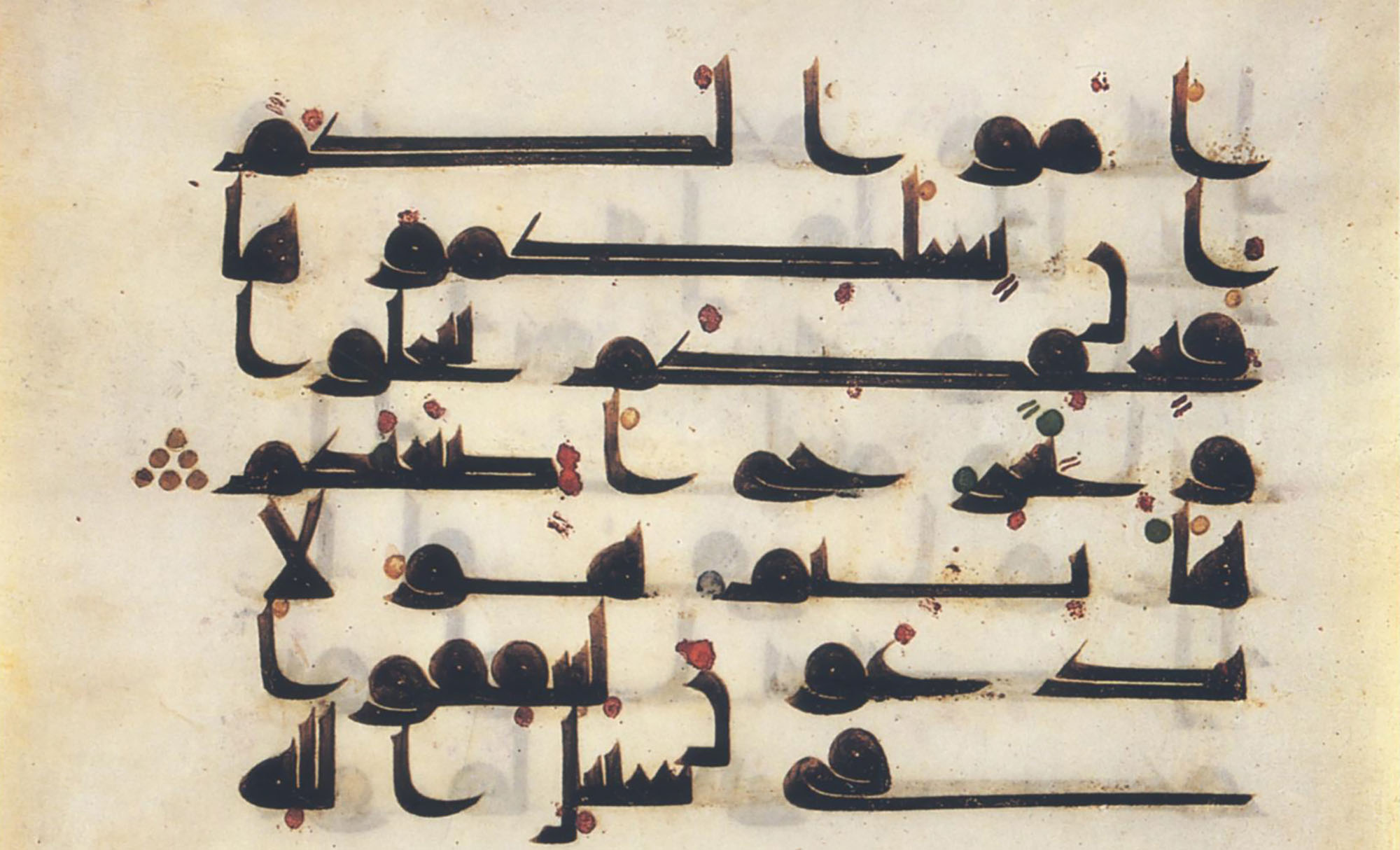
پیشنمایش فونت
فونت زیبای قلم زیبای کوفی اصل — نمونه متن فارسی ۱۲۳۴۵۶۷۸۹۰
دانلود فونت قلم زیبای کوفی اصل
قلم زیبای کوفی یک قلم زیبای عربی است که نزدیک ترین قلم به کوفی اصل می باشد.این قلم را اشفق نیازی طراحی کرده است.
مشخصات فونت
قلم زیبای KFGQPC AlJalil Dot توسط Ashfaq A. Niazi طراحی و با همت King Fahd Glorious Quran Printing Complex در وبسایت http://fonts.qurancomplex.gov.sa/ منتشر شده است. این قلم در خانواده KFGQPC AlJalil Dot منتشر شده است. قوانین استفاده از این قلم زیبا ELECTRONIC END-USER LICENSE AGREEMENT By installing this Font You accept all the terms and conditions of this Agreement. Copyright (c) 2024 by King Fahd Glorious Quran Printing Complex (KFGQPC), AlMadinah AlMunawarrah, Kingdom of Saudi Arabia. All Rights Reserved. KFGQPC retains full title and ownership of this Typeface both as artwork and font software. This Agreement does not grant you any intellectual property rights in the Font. Permission is hereby granted, Free of Cost, to any person obtaining a copy of this Font accompanying this license, the rights to Use, Copy, Distribute, subject to the following conditions: 1. The Font Software cannot be Sold, Modified, Altered, Translated, Reverse Engineered, Decompiled, Disassembled, Reproduced or Attempted to discover the Source Code of this Font in no means. 2. The Font Software is provided "AS IS", and KFGQPC makes no warranties as to its use or performance, fitness for a particular purpose. KFGQPC does not and cannot warrant the performance or results you may obtain by using the Font. In no event shall KFGQPC be liable for any Claims, Damages or other Liability, including any Damages, arising from, out of the use or inability to use the Font or from other dealings in the Font. میباشد.
- خانواده قلم
- KFGQPC AlJalil Dot
- سبک
- Regular
- نام کامل
- KFGQPC AlJalil Dot
- طراح
- Ashfaq A. Niazi
- ناشر
- King Fahd Glorious Quran Printing Complex
- نسخه
- 0.1
- مجوز استفاده
- ELECTRONIC END-USER LICENSE AGREEMENT By installing this Font You accept all the terms and conditions of this Agreement. Copyright (c) 2024 by King Fahd Glorious Quran Printing Complex (KFGQPC), AlMadinah AlMunawarrah, Kingdom of Saudi Arabia. All Rights Reserved. KFGQPC retains full title and ownership of this Typeface both as artwork and font software. This Agreement does not grant you any intellectual property rights in the Font. Permission is hereby granted, Free of Cost, to any person obtaining a copy of this Font accompanying this license, the rights to Use, Copy, Distribute, subject to the following conditions: 1. The Font Software cannot be Sold, Modified, Altered, Translated, Reverse Engineered, Decompiled, Disassembled, Reproduced or Attempted to discover the Source Code of this Font in no means. 2. The Font Software is provided "AS IS", and KFGQPC makes no warranties as to its use or performance, fitness for a particular purpose. KFGQPC does not and cannot warrant the performance or results you may obtain by using the Font. In no event shall KFGQPC be liable for any Claims, Damages or other Liability, including any Damages, arising from, out of the use or inability to use the Font or from other dealings in the Font.
راهنمای نصب و قوانین استفاده
این قلم بهصورت همیاری (تجاری) در وبسایت فونت ایرانی منتشر شده است؛ امکان بازنشر و هدیه وجود دارد ولی حق فروش ندارید و استفاده از آن تابع قوانین طراح و ناشر است.
قیمت این فونت ۱۵٬۰۰۰ ریال است. پس از پرداخت، لینک دانلود برای شما پیامک میشود؛ اگر تا ۵ دقیقه پس از خرید پیامک را دریافت نکردید با شماره ۰۹۱۲۴۱۹۵۰۶۶ تماس بگیرید.
افزودن فونت به ویندوز
به My Computer یا This PC بروید، وارد C:\Windows\Fonts شوید و فایل .ttf فونت را کپی کرده یا با ماوس بکشید و در پوشه Fonts رها کنید؛ نصب فونت بهصورت خودکار انجام میشود.
افزودن فونت به مک (macOS)
فونتهای OpenType با فرمت .otf، فونتهای TrueType با فرمت .ttf و Datafork TrueType Suitcase با فرمت .dfont قابل نصب هستند. روی فایل فونت دابلکلیک کنید و در پنجره پیشنمایش گزینه Install را انتخاب کنید تا فونت در سیستم ثبت شود.
افزودن فونت به اندروید
ابتدا فایل فشرده دانلودشده را از حالت فشرده خارج کنید تا فایلی با پسوند ttf به دست آید، سپس بر اساس برند گوشی، از تنظیمات نمایش، فونت جدید را اضافه کنید. روش نصب در برندهای مختلف اندروید کمی متفاوت است.
نظرات (0)
هنوز نظری ثبت نشده است.